Press Kit
Everything you need to write about or review MacDuo X.
In one sentence
MacDuo X turns your iPhone into your MacBook — a real MacBook keyboard and trackpad under your Mac's live screen, from anywhere, with post-quantum end-to-end encryption.
The story
Remote-desktop apps were built for IT departments: a tiny Mac screen and a generic phone keyboard. MacDuo X starts from a different question — what if your iPhone simply was your MacBook? Hold it upright and you get your Mac's screen on top and a full MacBook keyboard and trackpad below, with the sounds and feel of the real thing. Turn it sideways and it's all screen. On iPhone Duo, fold it half-open and it becomes a tiny MacBook, split exactly at the hinge; close it and the cover screen becomes the lid.
It works at home over Wi-Fi, with a cable for the lowest delay, or from anywhere over 5G — and switches between them by itself. There's no account to create: tap your Mac, click Allow, done.
What's new
- Laptop mode. A full MacBook keyboard (function row, every ⌘ shortcut, key preview) and a trackpad with clicks, scrolling, three-finger gestures and two-hand click-and-drag — with real MacBook key and trackpad sounds and haptics.
- iPad mode. Or just touch your Mac: tap to click, swipe to scroll, pinch to zoom.
- Made for iPhone Duo. Laptop posture splits screen and keyboard at the hinge, opened flat gives a giant trackpad, and the closed cover screen shows your MacBook's lid.
- Lock it like a laptop. Locking your Mac closes a lid on the phone; swipe up to open, and unlock your Mac by typing your password — even when you're far from home.
- Post-quantum end-to-end encryption with forward secrecy and mutual authentication. How it works →
- Files and photos, both ways. Send photos and files from your iPhone straight to your Mac's Downloads, or from your Mac to your iPhone — end-to-end encrypted.
- Your Mac guards itself. If someone touches it at home while you're using it remotely, it locks instantly and warns you. It locks when you disconnect, and can black out its own screen while you work.
- Share safely. Give a colleague view-only access to watch your Mac, require Face ID for your work Mac, and get a notification on the Mac whenever an iPhone connects.
- Mac sound on your iPhone, your Mac's apps one tap away, dictation, clipboard sharing, and a Live Activity in the Dynamic Island.
- Six MacBook finishes: Space Black, Space Gray, Silver, Midnight, Starlight and Sky Blue.
Facts
- Apps
- MacDuo X (iPhone) and MacDuo X Host (Mac, free companion in the menu bar)
- Requires
- iPhone with iOS 26 or later; Mac with macOS 26 or later
- Connections
- Same Wi-Fi (direct), USB cable, or the internet from anywhere (5G, any Wi-Fi) through an end-to-end encrypted relay
- Encryption
- X-Wing (ML-KEM-768 + X25519) key agreement, AES-256-GCM, inside TLS (ECDHE-PSK, ChaCha20-Poly1305)
- Account
- None. No analytics, no ads, no tracking.
- Availability
- Coming soon to the App Store
Screenshots
Tap to open the full-resolution image.
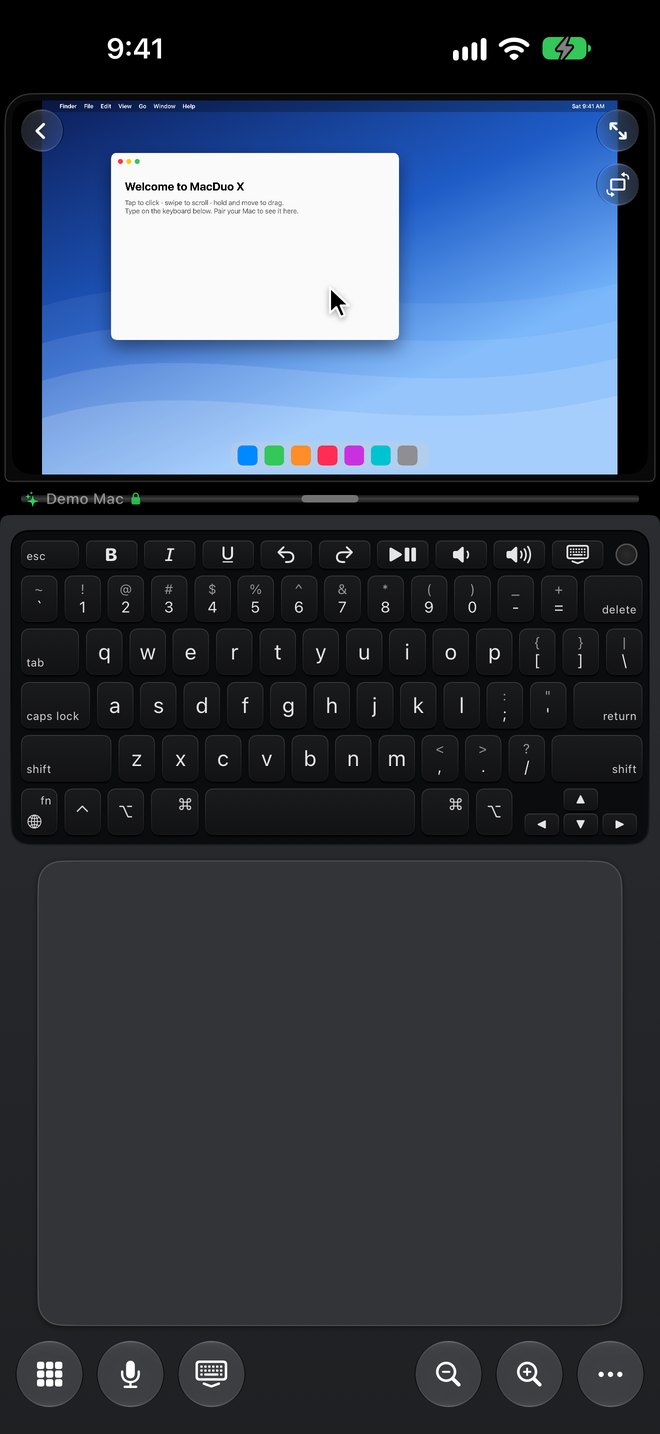 Laptop mode · Space Black
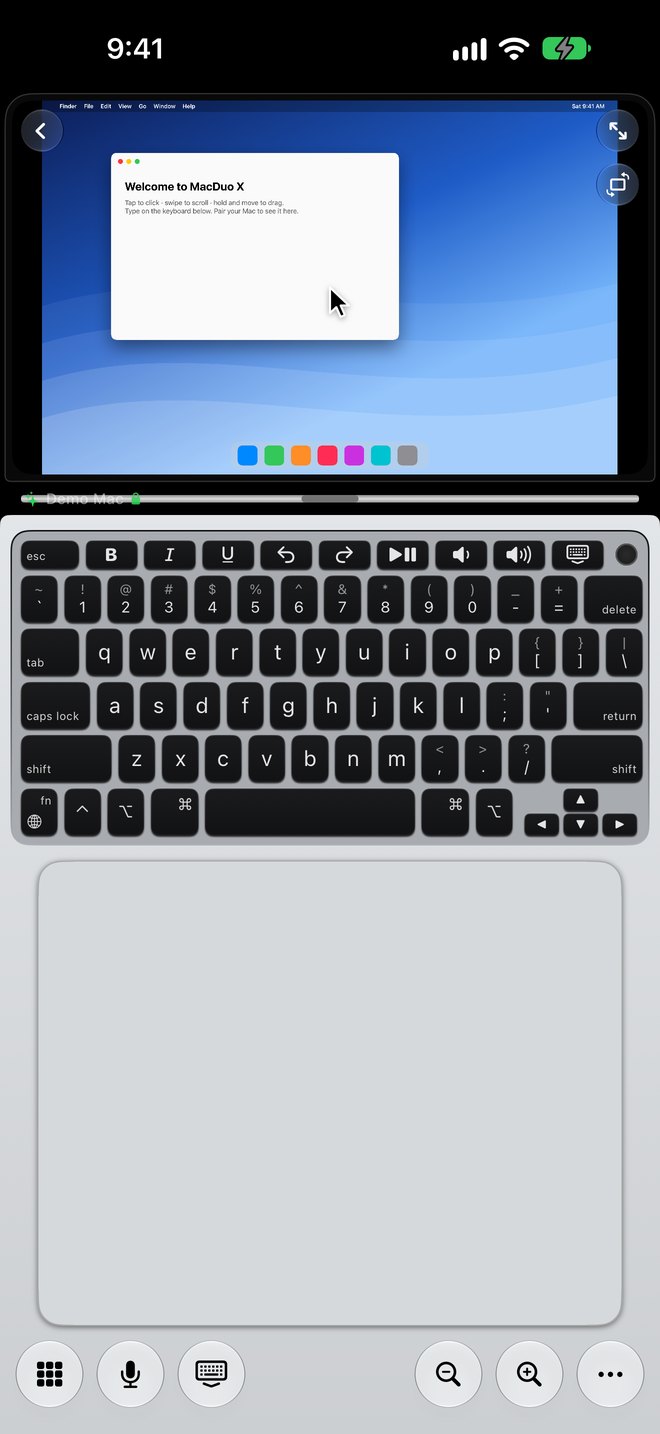 Laptop mode · Silver
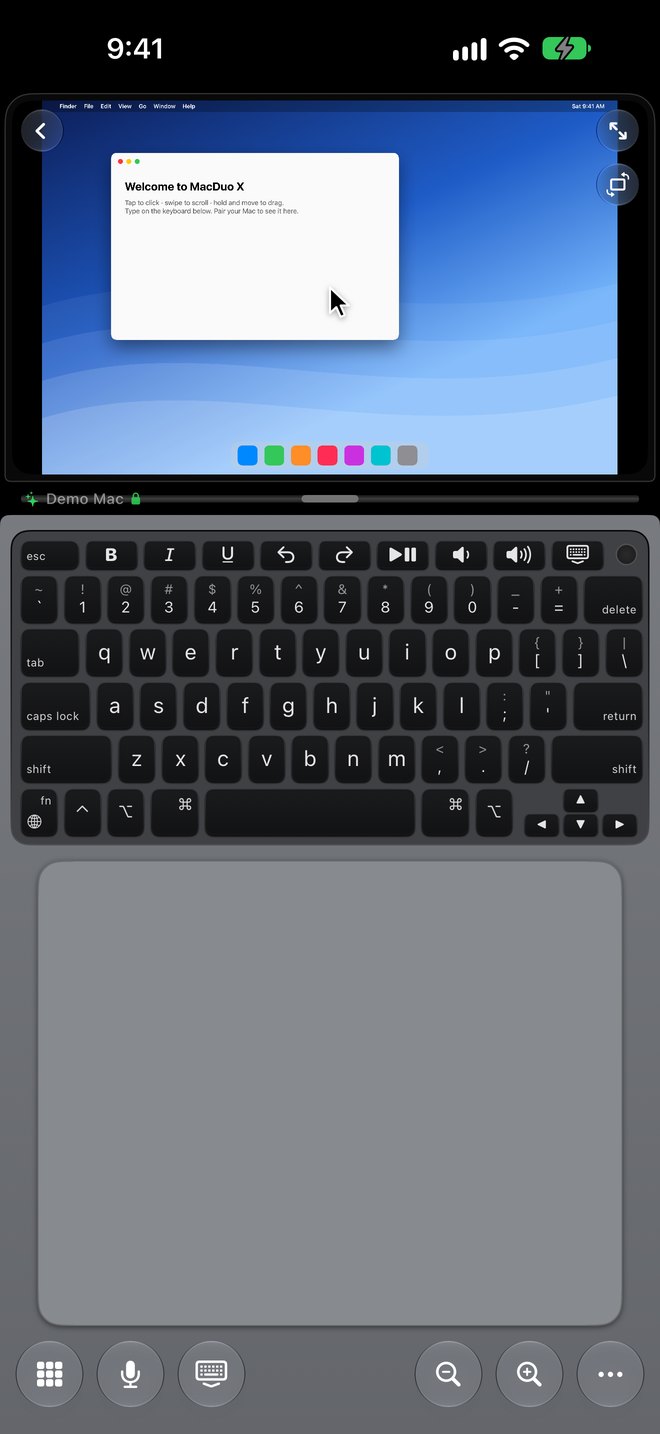 Laptop mode · Space Gray
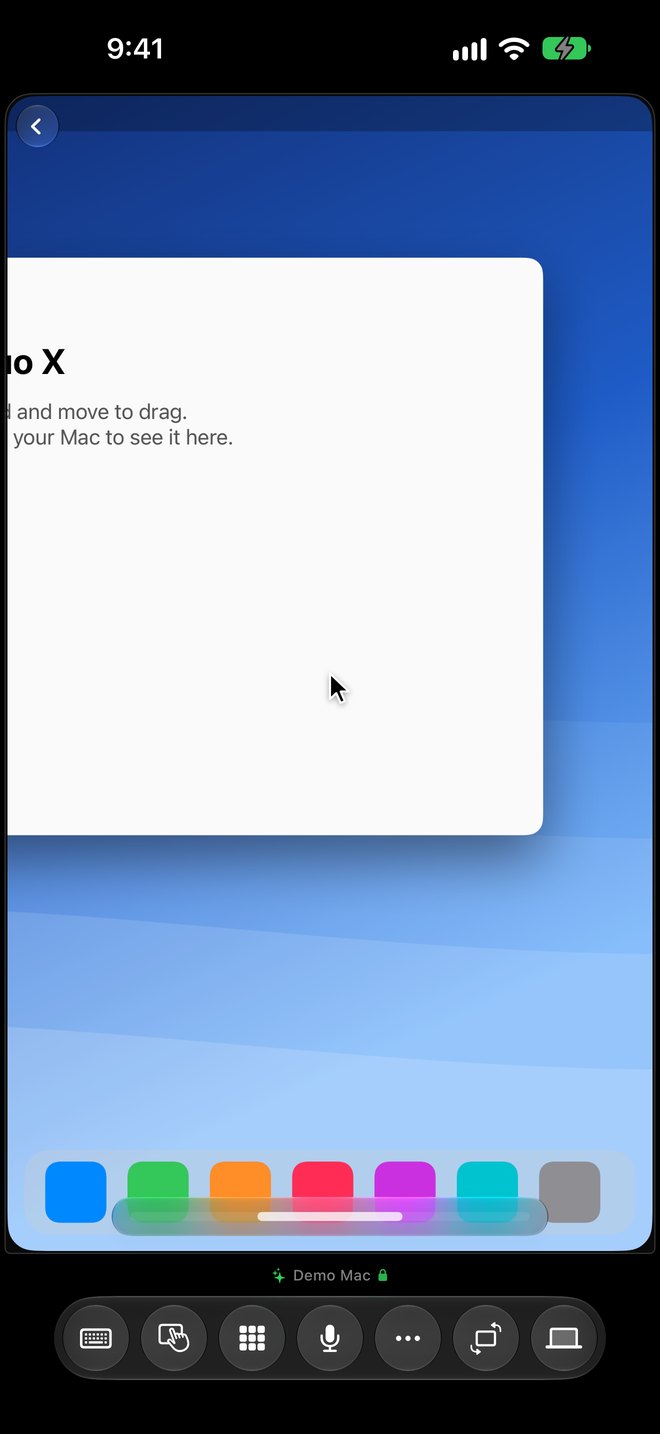 iPad mode
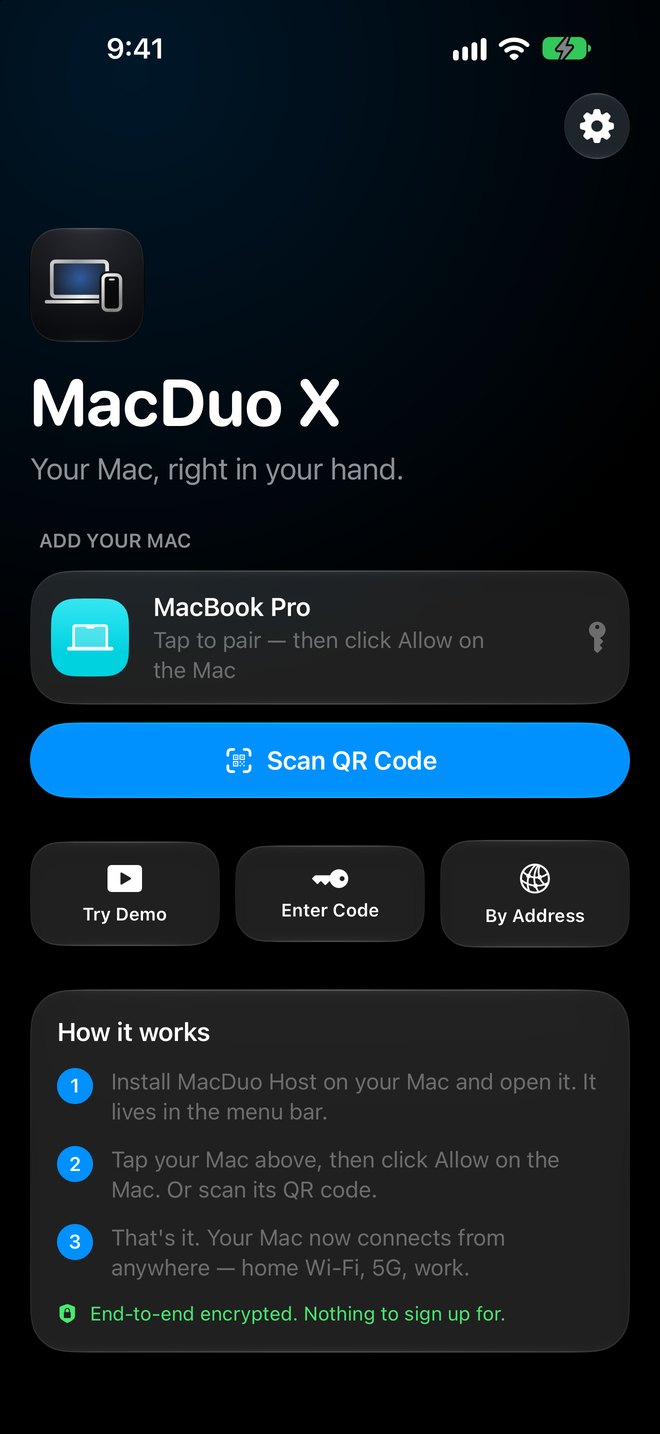 Your Macs
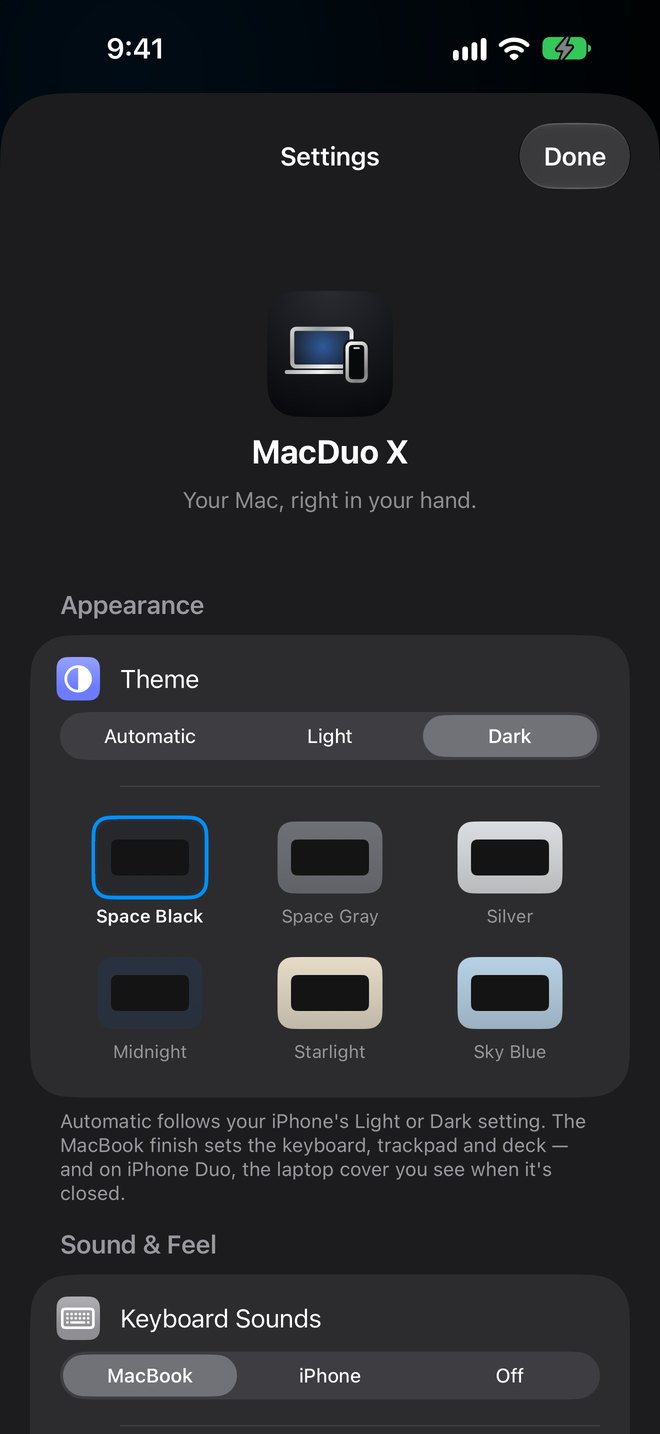 Settings
App icon: icon.png
Review access
Reviewers and journalists can request early access and a walkthrough through the Support page.